Zhihu Q&A Mining API Workflow | SandBase
Build a Zhihu Q&A mining workflow: read the hot list, open a question, and pull its answers — one SandBase key, no Zhihu login.

Mining Zhihu for knowledge comes down to three moves: see what the community is debating, open a question, and pull the answers underneath it. This tutorial wires those three moves into one Zhihu Q&A mining API workflow using the SandBase Zhihu API — no Zhihu login, no scraper. The endpoint reference guarantees the response envelope (id, status, model, and outputs[0].data); the business fields shown below are illustrative structure, not a guaranteed schema, so confirm them against a live response.
If you want the full endpoint tour first, start with the Zhihu public data API hub. This piece is the applied workflow.
Key takeaway
- Three steps:
hot-list(trends) →question-detail(question) →question-answers(answers).- Every call is
POST /v1/api/zhihu/<path>with oneSANDBASE_API_KEY; responses share the{ id, status, model, outputs }envelope.- Carry a
question_idfrom the hot list into the detail and answers reads.- Public, read-only data only; there is no login or posting on your side.
The workflow at a glance
| Step | Endpoint | Input | You get |
|---|---|---|---|
| 1. Read the hot list | zhihu/web/hot-list | none | trending questions, each with a target.id |
| 2. Open the question | zhihu/web/question-detail | question_id | title, answer/follower counts |
| 3. Pull the answers | zhihu/web/question-answers | question_id (plus paging params such as offset/limit/cursor per the schema) | a page of answers |
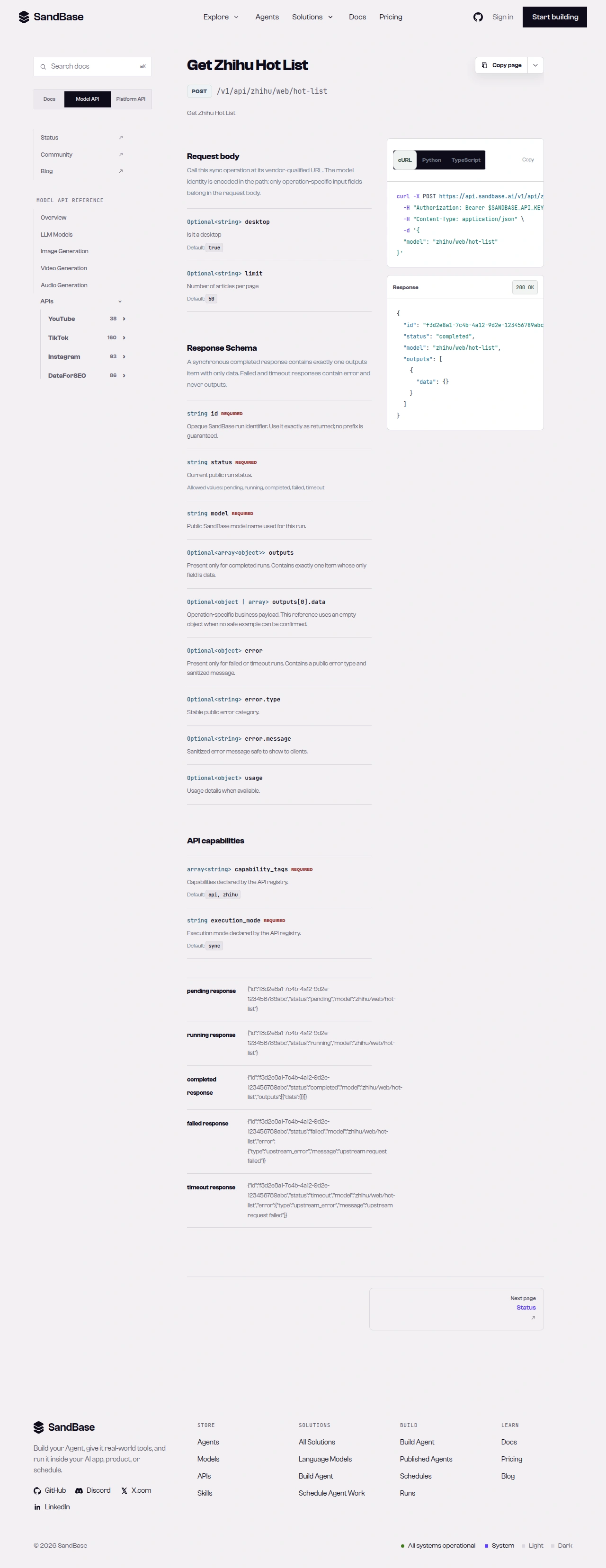 The endpoint API reference is the source of truth for each parameter name and response path.
Step 1 — Read the hot list
Start with a shared helper that branches on status, then read the hot list and grab a question_id from a trending item’s target:
import os
import requests

BASE = "https://api.sandbase.ai/v1/api/zhihu"
HEADERS = {
    "Authorization": f"Bearer {os.environ['SANDBASE_API_KEY']}",
    "Content-Type": "application/json",
}


def call(path: str, payload: dict) -> dict:
    resp = requests.post(f"{BASE}/{path}", headers=HEADERS, json=payload, timeout=90)
    resp.raise_for_status()
    body = resp.json()
    if body.get("status") != "completed":
        raise RuntimeError(body.get("error", {}).get("message", "request did not complete"))
    # Only the envelope is guaranteed; read outputs[0].data defensively.
    return (body.get("outputs") or [{}])[0].get("data", {})


# The nested business fields (data/target/title/id) are illustrative structure,
# not a guaranteed schema, so read them defensively with .get().
hot = call("web/hot-list", {}).get("data", [])
target = hot[0].get("target", {}) if hot else {}
question_id = str(target.get("id"))
print(target.get("title"), "->", question_id)
Each hot-list item wraps the question under a target object with fields like a title and an id. Those nested fields are illustrative structure rather than a guaranteed schema — confirm them against a live response, since the board changes constantly.
Step 2 — Open the question
Read the question’s metadata with question-detail:
question = call("web/question-detail", {"question_id": question_id})
# These business fields are illustrative, not a guaranteed schema; use .get().
print(question.get("title"))
print(question.get("answer_count"), "answers,", question.get("follower_count"), "followers")
The detail read may return fields like title, answer_count, comment_count, follower_count, and excerpt. These are illustrative structure rather than a guaranteed schema, so confirm them against a live response. When present, those counts tell you how much material a question carries before you pull the answers.
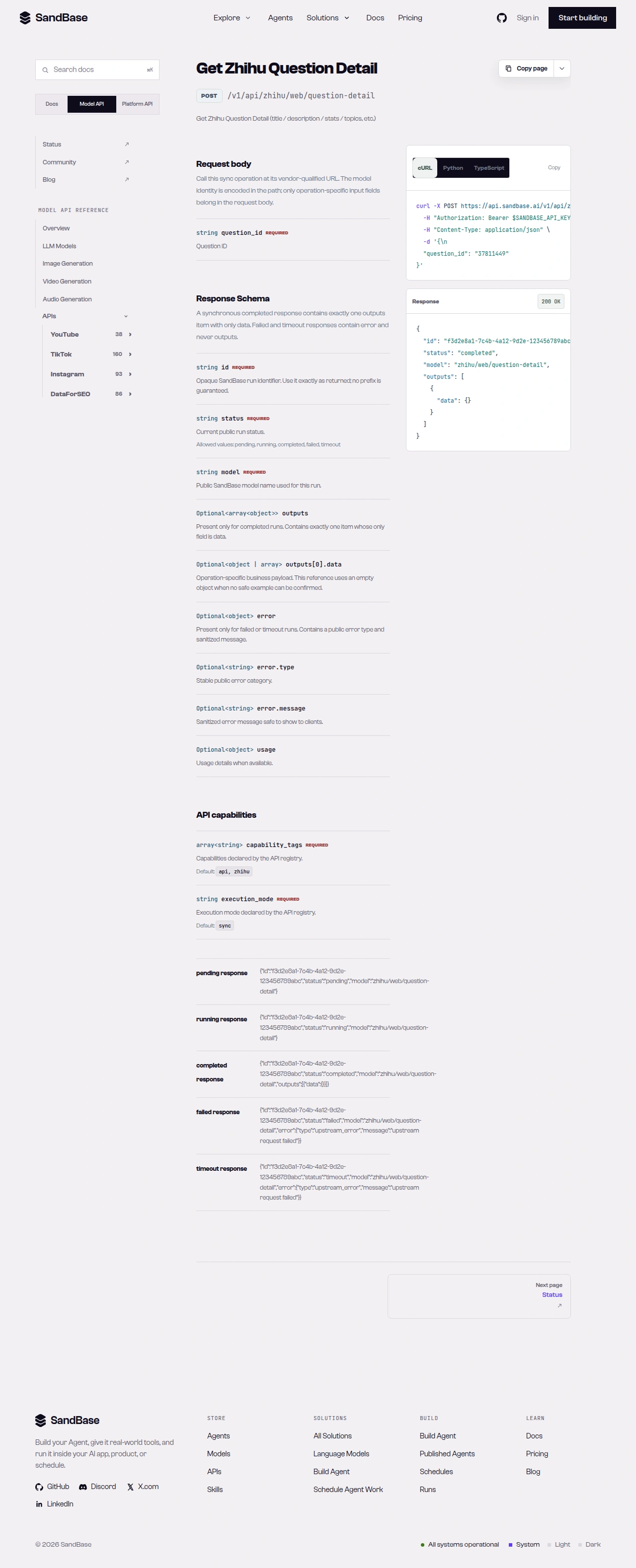 question-detail returns the title and engagement counts for a question.
Step 3 — Pull the answers
Read a page of answers with question-answers. Paging is driven by request parameters — depending on the endpoint’s schema, that is an offset/limit pair or a cursor you send on the next call, not a field you follow inside the response:
# Paging is a request parameter. Check the endpoint schema for the exact names;
# many Zhihu list endpoints accept offset/limit (some use cursor). To read the
# next page, increment offset on the next call rather than reading a response field.
result = call("web/question-answers", {"question_id": question_id, "offset": 0, "limit": 20})
answers = result.get("data", [])
print(len(answers), "answers on this page")
The answers response nests a data list of answer items. The block below is an illustrative response shape — the business fields are example structure, not a guaranteed schema, so treat the field names and values as examples and confirm them against a live response:
{
"id": "fad23166-43be-45dc-a1e8-8a2e60050349",
"status": "completed",
"model": "zhihu/web/question-answers",
"outputs": [
{
"data": {
"data": [
{ "type": "answer", "target": { "…": "…" } }
]
}
}
]
}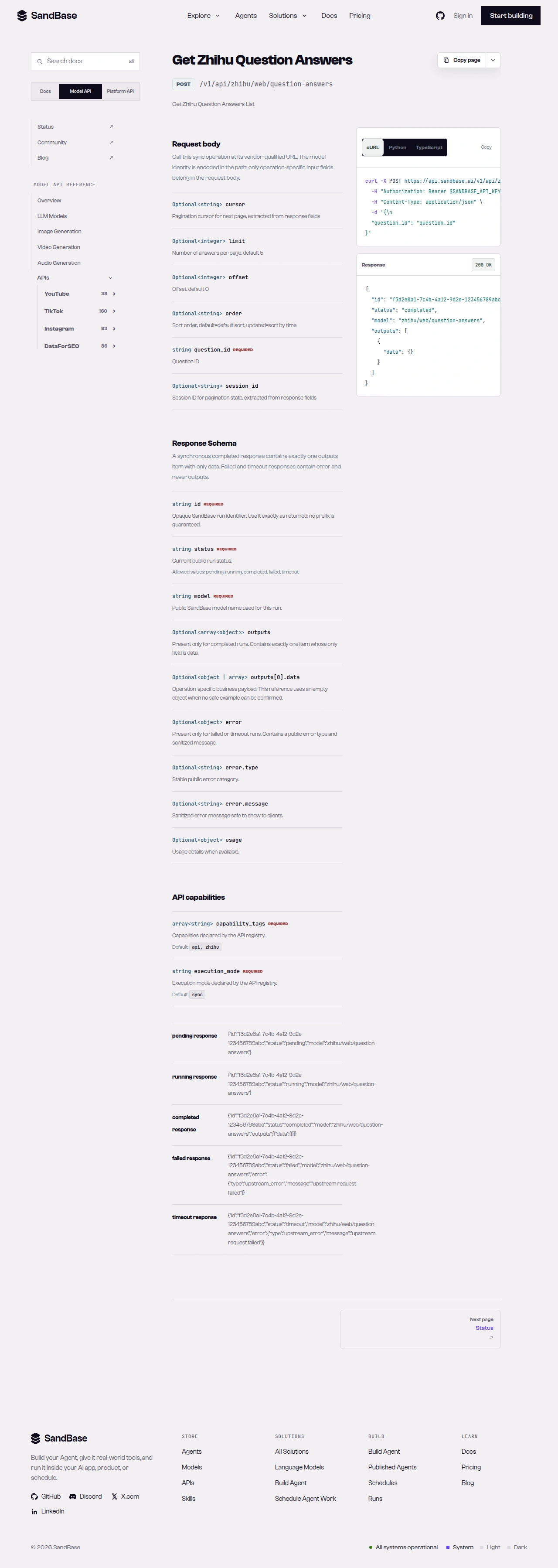 question-answers returns the answer feed and a paging block.
Putting it together
A minimal mining pass looks like this:
hot = call("web/hot-list", {}).get("data", [])
report = []

for item in hot[:10]:
    target = item.get("target", {})  # business fields are illustrative; use .get()
    question_id = str(target.get("id"))
    detail = call("web/question-detail", {"question_id": question_id})
    report.append({
        "question": detail.get("title"),
        "answers": detail.get("answer_count"),
        "followers": detail.get("follower_count"),
    })
    # then call question-answers for the questions you want to read in full
Because every call shares the same envelope and the same call helper, adding retries or rate-limit backoff is a one-place change. To read past the first page of answers, send the endpoint’s paging request parameter — increment offset (or pass the next cursor) per the schema. When you need more than these reads, check the live Zhihu listing for the endpoint that fits and confirm its parameters before wiring it in.
Handling the rough edges
- Mind the nesting. Hot-list items wrap the question under
target; the answers response nests its list underdata. Read the exact path defensively rather than assuming top-level fields, and treat those business fields as illustrative structure, not a guaranteed schema. - Page with request parameters.
question-answerspages through request parameters — anoffset/limitpair or acursorper the schema — so increment the parameter on the next call rather than assuming one page is the whole thread. - Branch on
status. Afailedortimeoutrun carrieserrorand nooutputs. Thecallhelper already enforces this. - Respect rate limits. As a client-side resilience measure, retry with backoff on transient errors such as HTTP 429.
- Public data only. No login, posting, or private/account-only content.
Why run this at the API layer
You could open Zhihu in a browser and copy answers by hand, but that does not scale and it does not give you structured data. Running these three calls on a schedule turns a live board into a measurable signal: answer and follower counts you can trend, questions you can dedupe by question_id, and threads you can pull in full for summarization or search. Because the calls return named JSON fields, each pass drops cleanly into a table you can diff against the last one — new trending questions, growing threads, and shifts in what the community is debating. Turning the answer text into insight is a separate analysis step you run on top of the collected data.
Composing the workflow
The same uniform envelope keeps this composable. Swap one question_id for another, add a fourth read — an answer’s comments or the answerer’s profile via user-info, say — and it slots in behind the same call helper with the same status check. You can also fan the middle step out: pull question-detail for every question on the hot list in one pass and rank them by answer_count or follower_count, so you decide which threads are worth reading in full before you spend calls on question-answers. Because the reads share one shape, moving from a quick script to a scheduled job is mostly a matter of adding backoff and a place to store each pass — the read logic does not change.
FAQ
Do I need a Zhihu login or OAuth?
No. You authenticate to SandBase with your SANDBASE_API_KEY, and reading the hot list, a question, and its answers needs no Zhihu account or OAuth on your side. You still supply a SandBase API key to make the calls.
How do I read past the first page of answers?
Pass the pagination request parameter that question-answers accepts on its next call to fetch the following page rather than assuming one page is the whole thread. Check the endpoint reference for the exact parameter name and confirm it against a real response before you loop.
Can I read private or account-only content this way?
No. These are public, read-only reads — no private, follower-only, or account-gated content. And the endpoint reference guarantees the { id, status, model, outputs } envelope; the business fields inside vary, so map them from a real response.
Next steps
You now have a repeatable Q&A mining workflow built on three public, read-only calls.
- Read the Zhihu public data API hub
- Get a SandBase API key
- API references: hot-list, question-detail, and question-answers