Lemon8 Content Discovery API Tutorial | SandBase
Build a Lemon8 content-discovery workflow: search a keyword, open a post, and profile its author — one SandBase key, no Lemon8 login, no SDK.
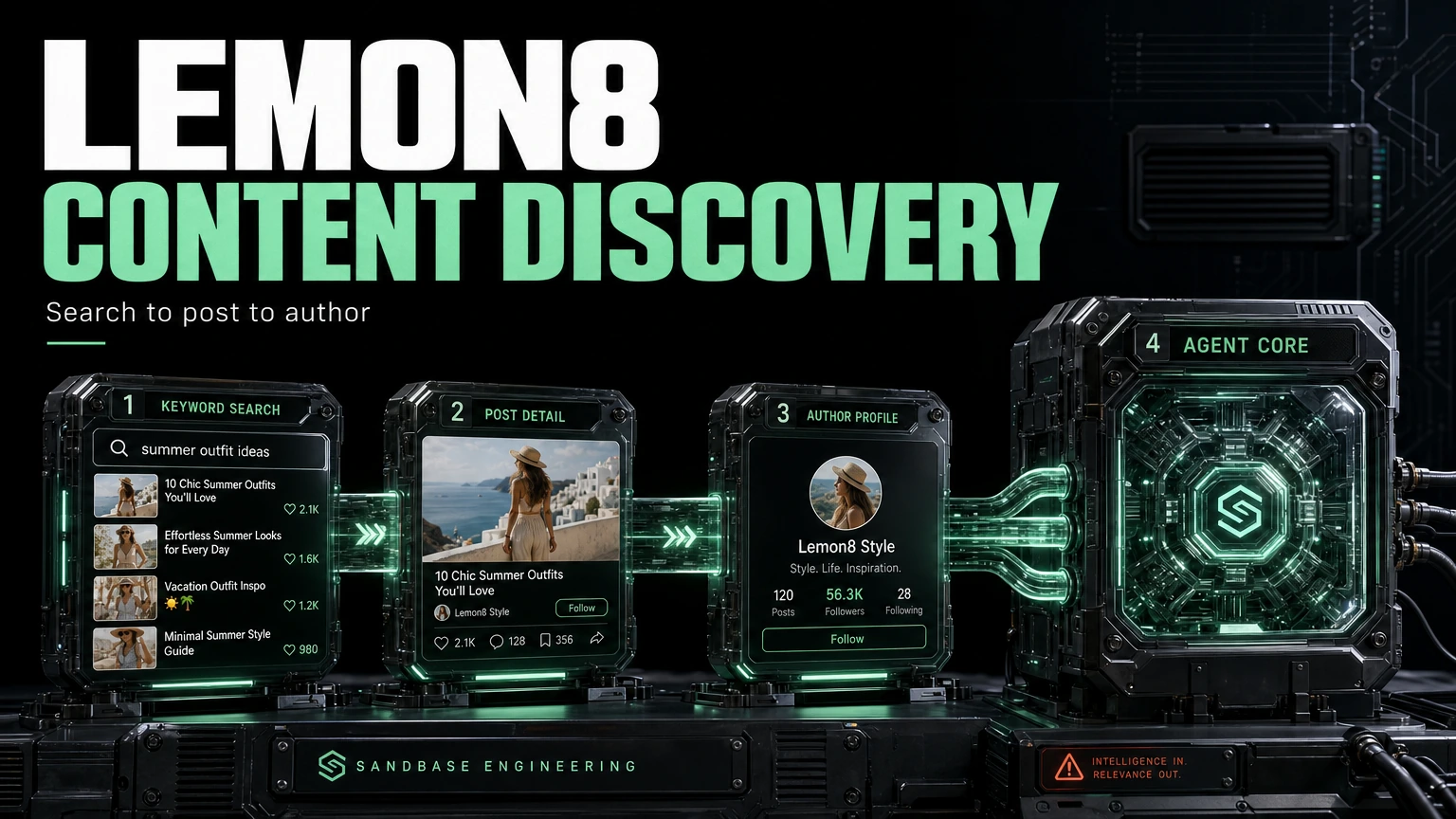
If you research consumer trends on Lemon8 — ByteDance’s beauty, food, and lifestyle app — you probably want a repeatable loop: find posts around a theme, open the ones that matter, and understand who is behind them. This tutorial wires that loop with three SandBase endpoints so an agent can run it end to end. It builds on the Lemon8 public data API hub; read that first for the big picture.
Everything here is public, read-only data. There is no Lemon8 login and no SDK — a SandBase API key is still required to authenticate. The endpoint API reference is the source of truth for parameters and the response envelope; the payload field names below come from calls I ran (tested on 2026-09-27, UTC) and are shown as one observed shape — confirm them against a live response, since payloads change over time.
Key takeaway
- Three endpoints form a discovery loop:
search→post-detail→user-profile.- Each call is
POST /v1/api/lemon8/<path>with only that endpoint’s params, oneSANDBASE_API_KEY.- Chain by natural identifiers: search surfaces an
item_idand anauthor_id; feed those into the next two calls.- Branch on
statusonce and reuse one JSON-reading helper across all three steps.
The workflow at a glance
- Search a keyword with
lemon8/app/searchto get matching posts. - Open a post with
lemon8/app/post-detailusing anitem_idfrom search. - Profile the author with
lemon8/app/user-profileusing theauthor_idcarried on the post.
Each endpoint returns the same envelope — an id, a status, the model, and, on a completed run, an outputs array whose single item carries the payload under data. A failed or timeout run carries error and no outputs. Write the status check once and reuse it.
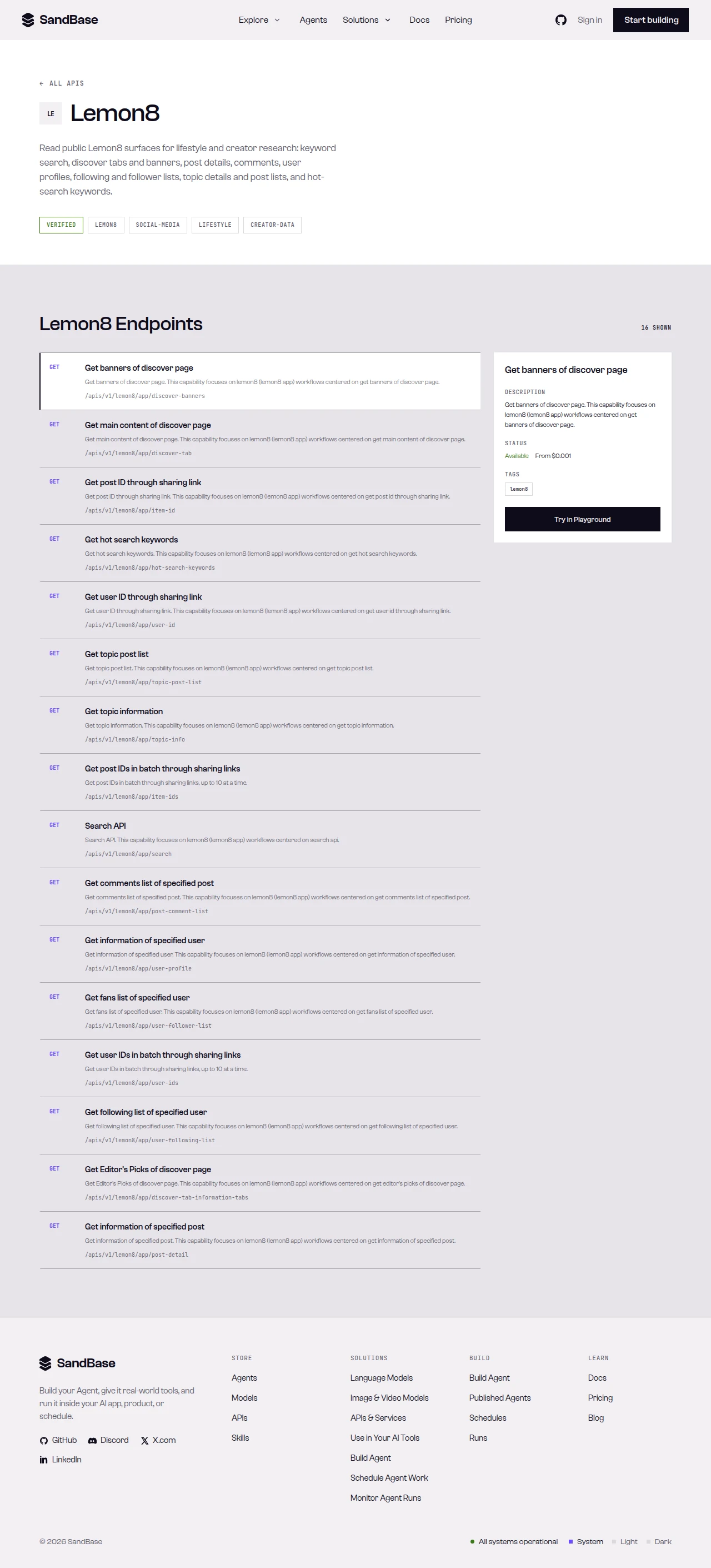 The Lemon8 endpoints on SandBase — search, post-detail, and user-profile drive this loop.
Step 0: one helper for every call
import os
import requests

API = "https://api.sandbase.ai/v1/api"
HEADERS = {
    "Authorization": f"Bearer {os.environ['SANDBASE_API_KEY']}",
    "Content-Type": "application/json",
}

def call(path: str, payload: dict) -> dict:
    resp = requests.post(f"{API}/{path}", headers=HEADERS, json=payload, timeout=60)
    resp.raise_for_status()
    body = resp.json()
    if body.get("status") != "completed":
        error = body.get("error", {})
        raise RuntimeError(error.get("message", f"{path} did not complete"))
    return body["outputs"][0]["data"]
Every step below calls call(...) and reads named fields defensively with .get().
Step 1: search a keyword
blocks = call("lemon8/app/search", {"query": "coffee"})

# Search returns a list of blocks; the block with code == 0 carries items.
items = []
for block in blocks if isinstance(blocks, list) else []:
    data = block.get("data", {})
    if block.get("code") == 0 and isinstance(data.get("items"), list):
        items = data["items"]
        break

print(len(items), "posts")
In the response I captured (search run id 4bac9e8a-eeec-49ec-ba84-49feff8e1928, tested on 2026-09-27, UTC), each post carried an item_id and an author object with an author_id. The block also exposed has_more with max_cursor/min_cursor for paging. Field names move over time — treat these as observed and confirm against a live response.
first = next((it for it in items if isinstance(it, dict) and it.get("item_id")), None)
item_id = first.get("item_id") if first else None
author_id = first.get("author", {}).get("author_id") if first else None
Step 2: open the post
detail = call("lemon8/app/post-detail", {"item_id": str(item_id)})
post = detail.get("data", {})  # confirm the exact path against a live response
In my run (post-detail run id 814a5872-8dae-4fb9-b7be-c3990afd8da6), the payload was an object with data, message, and server_time, and the post body lived under data. Read it defensively — the shape differs from search, so map the path once against a real response.
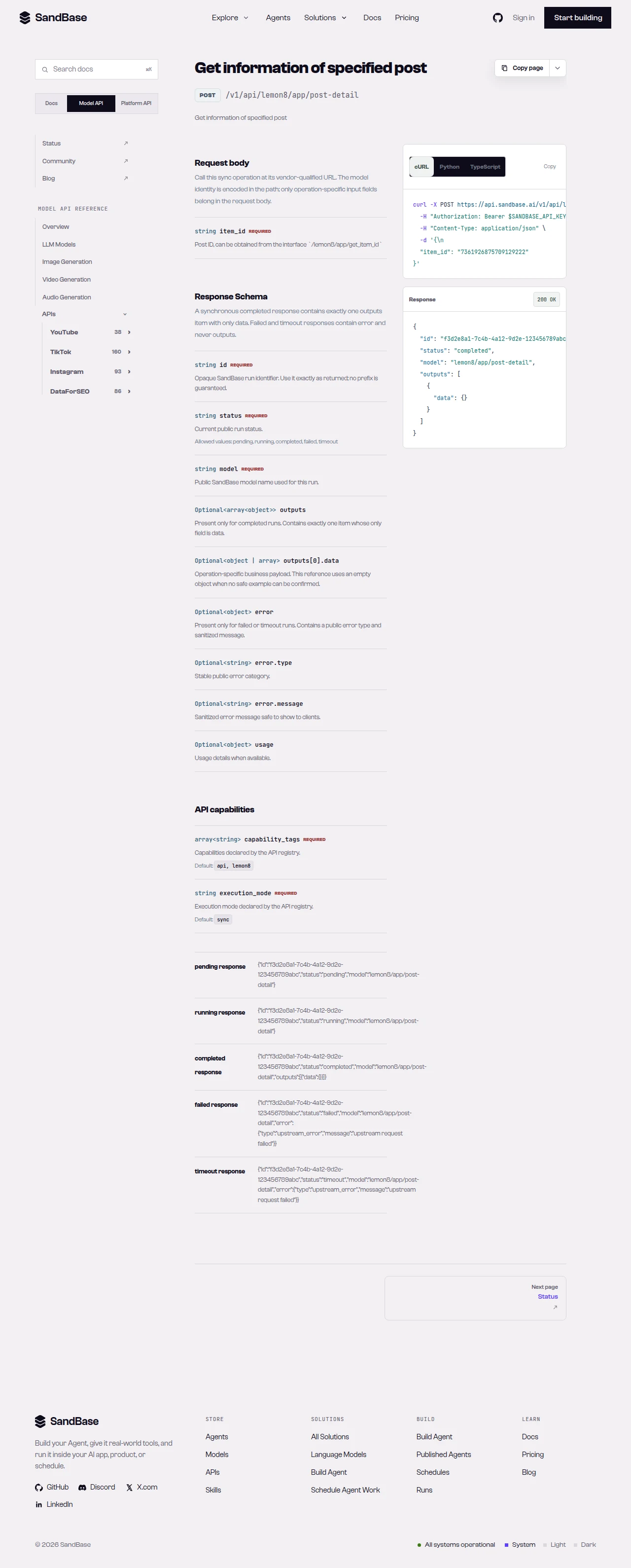 The post-detail reference — the source of truth for the
 item_id parameter and the response path.
Step 3: profile the author
profile = call("lemon8/app/user-profile", {"user_id": str(author_id)})
data = profile.get("data", {})  # confirm the path against a live response

signals = {
    "followers": data.get("followers_count"),
    "following": data.get("following_count"),
    "likes": data.get("digg_count"),
    "comments": data.get("comment_count"),
    "bio": data.get("description"),
}
print(signals)
The user-profile endpoint takes a user_id; the author_id from a search result works as that identifier. In my run (user-profile run id a3cf09c5-c08c-4ef7-a898-6a22eeb722ef), the payload carried data (with followers_count, following_count, digg_count, comment_count, description, and more), plus error_code and message. Read each field with .get() — availability varies, so confirm against a live response.
Putting it together
def discover(query: str):
    blocks = call("lemon8/app/search", {"query": query})
    items = []
    for block in blocks if isinstance(blocks, list) else []:
        d = block.get("data", {})
        if block.get("code") == 0 and isinstance(d.get("items"), list):
            items = d["items"]
            break

    results = []
    for it in items:
        if not isinstance(it, dict) or not it.get("item_id"):
            continue
        item_id = it["item_id"]
        author_id = it.get("author", {}).get("author_id")
        detail = call("lemon8/app/post-detail", {"item_id": str(item_id)})
        profile = (
            call("lemon8/app/user-profile", {"user_id": str(author_id)})
            if author_id else {}
        )
        results.append({
            "item_id": item_id,
            "post": detail.get("data", {}),
            "author": profile.get("data", {}),
        })
    return results
Because all three endpoints share the same envelope, the loop stays flat: one status check in call(...), one .get() pattern everywhere, and identifiers flowing from one step to the next. To page, resend search with the cursor from the block while has_more is true.
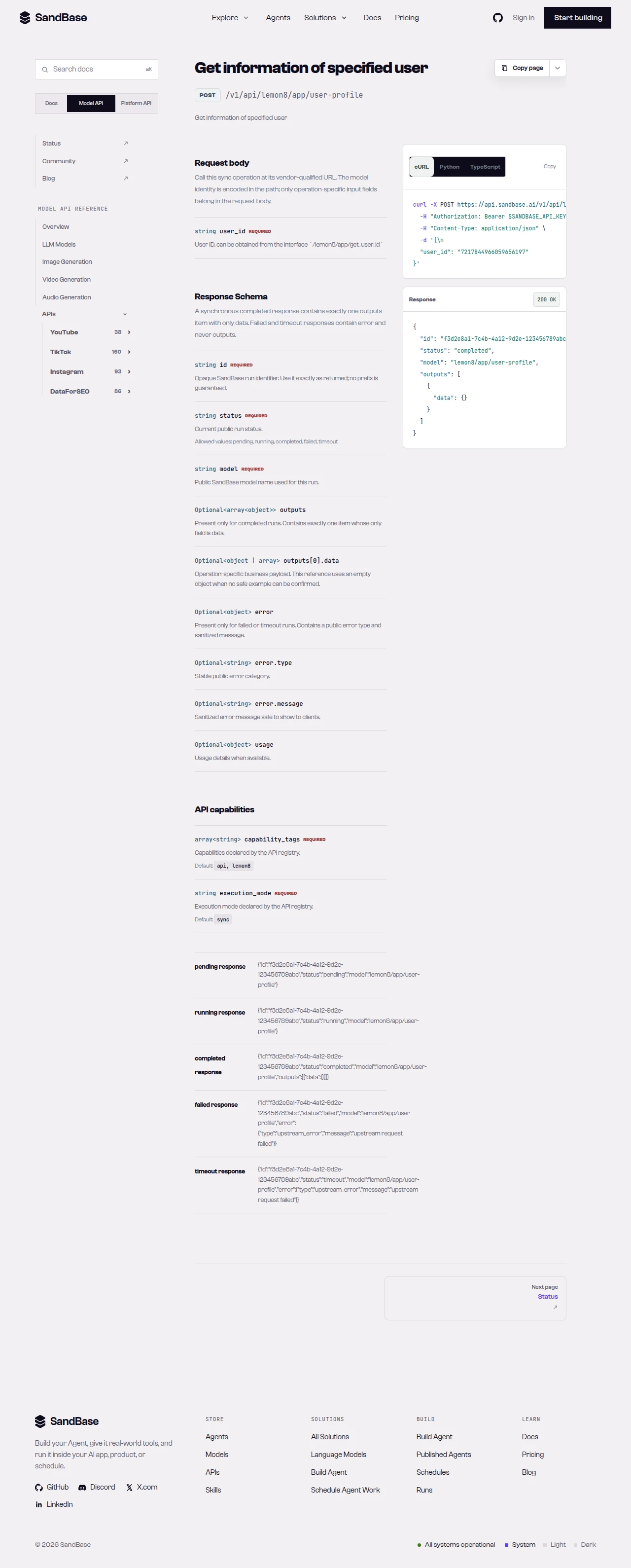 The user-profile reference — pass a
 user_id; a search result’s author_id works as that identifier.
Practical notes
- Search returns blocks, not a flat list. Find the block with
code == 0and read itsitems. Guard every element withisinstance(..., dict). - Identifiers are strings. Pass
item_idanduser_idas strings to be safe. - Shapes differ per endpoint. Search, post-detail, and user-profile each nest their payload differently — map each path once against a real response.
- Public, read-only data only. No posting, no private or account-only data. Authenticate with a SandBase API key.
- Be a good client. Retry with backoff on transient errors such as HTTP 429; page with the cursor rather than hammering.
FAQ
Do I need a Lemon8 login or SDK?
No. You authenticate to SandBase with your SANDBASE_API_KEY. These read endpoints need no Lemon8 account or OAuth on your side.
How do I get an item_id and an author id?
From search. Each post carries an item_id, and its author object carries an author_id that works as the user_id for user-profile.
Why does search return a list of blocks?
Lemon8’s search groups results into blocks, each with an upstream code; the block with code == 0 carries the items. Read it defensively and confirm the path against a live response.
How do I page through more results?
The block exposes has_more with cursor fields (max_cursor/min_cursor). Resend search with the cursor while has_more is true. Confirm the exact parameter names against the reference.
Wrap up
Three endpoints, one envelope, identifiers flowing between steps — that is the whole discovery loop. For the full endpoint catalog and response details, see the Lemon8 public data API hub. When you are ready: